Guides
Usage Monitoring
Reviewing request history, latency, and charged costs.
User Journey: Transparency through Usage History
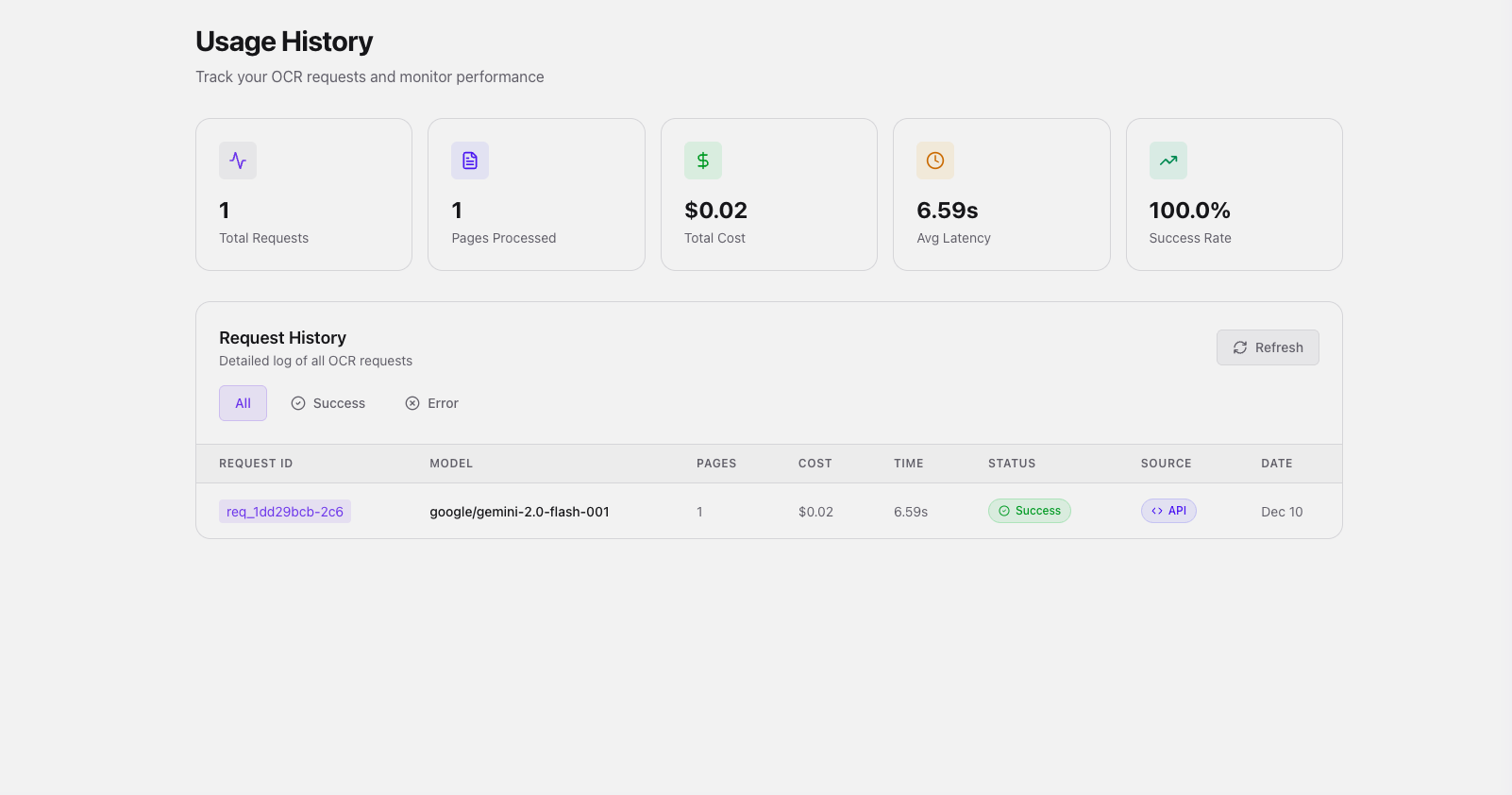
As you integrate DocsRouter into your applications, the Usage History dashboard shows the request records currently stored for your account.
The Experience
The usage journey is designed for observability, helping developers monitor performance, track costs, and debug integration issues.
1. High-Level Metrics
The dashboard opens with "at-a-glance" cards summarizing account health:
- Total Requests: Cumulative count of OCR operations.
- Pages Processed: The page count recorded for completed operations.
- Total Cost: Real-time dollar amounts based on model selection.
- Avg Latency: A key performance indicator for user-facing applications.
2. Request Auditing
The Request History table provides a ledger of every interaction:
- Traceability: Each request has a unique ID (
req_...). - Model Breakdown: See exactly which models were utilized (e.g., Gemini 2.0 Flash).
- Performance Tracking: Individual latency and cost for every single processing job.
3. Smart Filtering
The history table includes quick filters to isolate Successes from Errors, facilitating rapid troubleshooting.
Observability Highlights
- Request records: Review the status, model, latency, page count, and charged amount captured for each logged request.
- Scope: This is an account history view, not a monitoring SLA or a substitute for application telemetry.